
Collect The Alphabet Player tools
Track A–Z progress and daily words without spreadsheet chaos.
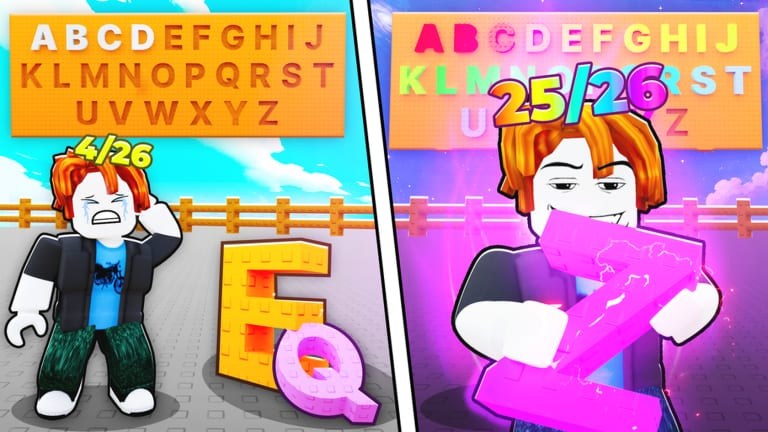
This Tools Hub gathers interactive helpers for Collect The Alphabet so you can see missing letters and Word of the Day requirements without juggling screenshots. Cosmic Collection’s loop is simple to describe and easy to lose track of in practice: packs flood your inventory, duplicates look identical at a glance, and selling for diamonds can erase the one consonant you needed tonight.
Two focused tools live under this hub. Alphabet Checklist is the A–Z tracker with an interactive checklist embedded mid-page. Word Helper focuses on spelling the daily word and keeping the right letters off the sell list. Use them together with Codes, the Guides Hub, and Weekly Events so free packs turn into intentional progress.
Why dedicated tools beat memory
Incremental collectors feel “almost done” for a long time. You might own twenty letters and still lack the last Mythic-dependent glyphs, or you might own every letter once but still fail Word of the Day because a duplicate was sold. A checklist externalizes that state. It also keeps script users honest: if Auto Farm Script has Auto Sell enabled, your keeper list must exist somewhere other than your short-term memory. Read How to Use Scripts Safely if you automate; the tool pages still matter either way.
What each tool is for
- Alphabet Checklist — Mark which letters you have placed or secured, spot gaps before buying another pack tier, and link out to sibling tools and hubs while you work. The interactive component sits mid-article so you can read strategy and tick boxes in one flow.
- Word Helper — Translate the current Word of the Day into a letter demand list, compare against what you own, and avoid selling critical pieces during diamond grinds or Symbol unlock pushes.
Neither tool replaces playing the Roblox experience. They organize information the client does not always surface in a single calm view, especially when weekly noise from the Events Hub stacks on top of the daily word.
Suggested workflow
- Redeem anything active on Codes and claim Cosmic Collection group rewards via Official Links.
- Open Alphabet Checklist and mark solid board letters.
- Open Word Helper and note today’s required set.
- Decide sell versus keep before enabling any auto-sell toggle.
- Spend money on luck and pack speed when gaps are rare-gated; spend on more packs when gaps are volume-gated.
- After Updates, re-validate checklists because new Symbol tiers or board rules can change what “complete” means.
Tools and fair play
Checklists are allowed utility. They do not inject into Roblox. Keep that distinction clear when talking in public Discord: wiki tools are trackers; executor hubs are a different risk class documented under the Scripts Hub. If you only want quality-of-life, stay on this Tools Hub and the Guides Hub.
How tools support weekly play
During generous Weekly Events, inventory changes fast. Mythic floods can complete three checklist gaps in one sitting — or tempt you into selling everything for diamonds because the UI feels crowded. Pause. Update the checklist. Run Word Helper. Then sell. That thirty-second habit is the difference between finishing A–Z this week and rebuilding a letter you already had yesterday.
Relationship to review and strategy pages
If you are still deciding whether Collect The Alphabet deserves long-term checklist maintenance, read the Review. If you already committed, this hub is the daily driver. Tier conversations and pack rarity discussions on other wiki sections become actionable once you can see your personal gaps instead of generic advice.
Keeping data accurate
The interactive widgets store what you tell them in the browser context they were built for. They cannot read your Roblox inventory automatically. When you place a new letter in-game, tick it here. When you sell your only spare, untick if your rules say owned means “safe copy,” not “ever touched.” Decide that definition once and stick to it so the checklist stays trustworthy.
Explore Alphabet Checklist next if you are chasing full A–Z, or Word Helper if today’s prize is the priority. Return to this Tools Hub whenever Cosmic Collection adds systems that need a new tracker — the hub exists so those helpers stay discoverable beside events, codes, and guides instead of buried in chat pins.
Frequently Asked Questions
Quick answers to the most common questions.
Which Collect The Alphabet tools does this wiki include?
An Alphabet Checklist for A–Z tracking and a Word Helper for Word of the Day letter demands, both linked from this Tools Hub.
Do these tools connect to my Roblox account?
No. You mark progress yourself. They organize information; they do not read inventory automatically.
Should I use the checklist if I run an auto farm?
Yes. Keep a keeper list before enabling Auto Sell so the farm does not convert letters you still need.
What should I open first after redeeming codes?
Update Alphabet Checklist, then Word Helper, then decide sells and upgrades before long farm sessions.