
Collect The Alphabet Controls and UI Map
Find Settings, packs, the board, upgrades, and Word of the Day without hunting menus.
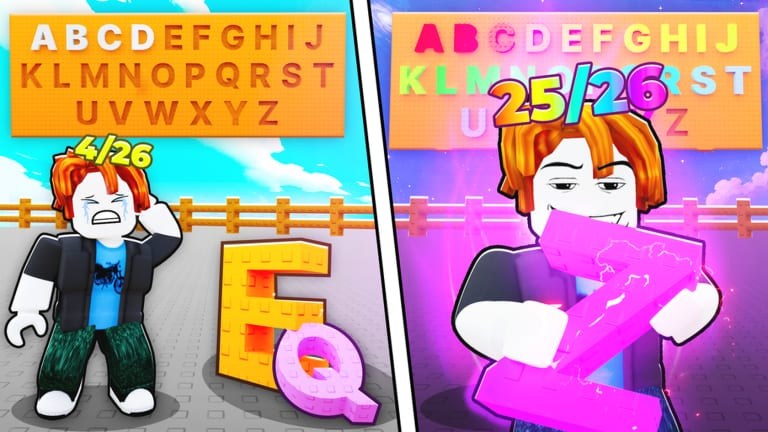
Collect The Alphabet is an incremental, not a platformer. “Controls” here means where to tap on Cosmic Collection’s HUD: the left Settings cog, pack shop, letter board, upgrade shop, Word of the Day panel, and the Enter Code field. This page is a UI map for place 127103413498148 so you stop opening the wrong menu during a timed event. Pair it with How to Play for the loop and How to Redeem Codes for the code box specifically.
Layouts shift after weekly patches. If a label moved, rejoin a fresh server from the official Roblox page and check Updates before assuming the game is broken.
Left side: Settings and codes
The Settings cog sits on the left edge of the screen. It is not the pack button and not the Word of the Day tile. Open it once the board has finished loading. Inside Settings you should find Enter Code plus graphics and audio options. Paste strings exactly as listed on the Codes Hub, then press Submit.
On phones and scaled PC clients, chat or the Roblox menu can cover the cog. Collapse chat, rotate if needed, then try again. If the cog does nothing, leave the place and rejoin — long AFK sessions soft-lock this menu more often than people expect.
Center and board: letters that pay
The board is the income engine. Mounted letters generate money per second. Empty slots are wasted upgrades. After every pack open, look at the board first, not the shop. Place first copies immediately. Details live on Board Income and the Letters Hub.
Tap a mounted letter only when you intend to inspect or (carefully) sell. Selling the last copy of a glyph is the classic UI mistake this map exists to prevent. Read Keep or Sell Letters before you confirm a sell on a crowded inventory screen.
Packs and inventory
Pack buttons open Common through Mythic letter packs (and later Symbol packs once diamonds unlock them). Do not confuse “open pack” with “buy pack” if both exist in the current shop. After a code grant, Mythic Packs may appear as an open prompt or as inventory items — either way, they are not diamonds until you sell duplicates.
If you cannot find a pack you just redeemed, rejoin once, then check inventory again. Report persistent misses on the Cosmic Collection Discord with a screenshot, using the invite from Official Links.
Upgrades: money, Luck, Pack Speed
The upgrade shop spends board money on three levers: money (income), Luck (pack results), and Pack Speed (how fast you can keep opening). Wrong taps here feel like “the game is lagging” when you actually bought the cheap money node you did not need. Use Upgrade Priority and the upgrade tier list before dumping a whole session’s cash.
There is no combat hotbar and no jump-to-win skill. Movement cheats from third-party scripts are optional quality-of-life, not part of the official control scheme — see Scripts Hub if that is why you searched for controls.
Word of the Day panel
Word of the Day is a separate panel from Settings. It asks you to spell a daily word using letters you own or can assemble from the board/inventory rules Cosmic Collection currently uses. Prizes are recurring, unlike one-shot codes. Open this panel before you log off, even on a five-minute session. Full strategy: Word of the Day and the Word Helper tool.
If you cannot see the panel, you may be in a knockoff place. Confirm the title Collect The Alphabet by Cosmic Collection and place ID 127103413498148.
Group reward versus codes
Joining the Roblox group is not a Settings string. Membership is claimed in-experience after you join Cosmic Collection. Do not hunt for a “GROUPCODE” in Enter Code. Walkthrough: Cosmic Collection Group Reward.
Mobile versus PC
On PC, hover precision makes it easier to hit the left cog without opening chat. On mobile, fat-finger the pack shop by accident more often — zoom your HUD scale in Roblox settings if buttons overlap. Neither platform has a unique keyboard map for packs; everything is pointer/touch.
After a weekly event UI refresh, repeat this map once: Settings → packs → board → upgrades → Word of the Day. That five-stop tour catches 90% of “where did they move it” complaints documented on Weekly Events.
Related pages
- How to Play — what to do after you find the buttons
- Beginner Mistakes — UI errors that cost letters
- How to Redeem Codes — Enter Code only
- Alphabet Checklist — track A–Z while you tap
Learn the HUD once, then spend attention on missing letters instead of missing menus.
Frequently Asked Questions
Quick answers to the most common questions.
Where is the Collect The Alphabet code box?
Left Settings cog, then Enter Code, then Submit. Full taps are on How to Redeem Codes.
Is there a keyboard control scheme?
No. Packs, board, upgrades, and Word of the Day are HUD buttons. Movement is standard Roblox walking.
Why can't I find Word of the Day?
It is a separate panel from Settings. Confirm you are in place 127103413498148, not a similarly named alphabet game.
Does joining the group use Enter Code?
No. Join Cosmic Collection on Roblox, then claim the in-game group reward. It is not a typed promo string.
What should I tap after opening a pack?
The board. Mount first copies before shopping upgrades or selling duplicates.