
Reading Collect The Alphabet updates
Post-patch verification order for codes, tools, board loops, and scripts.
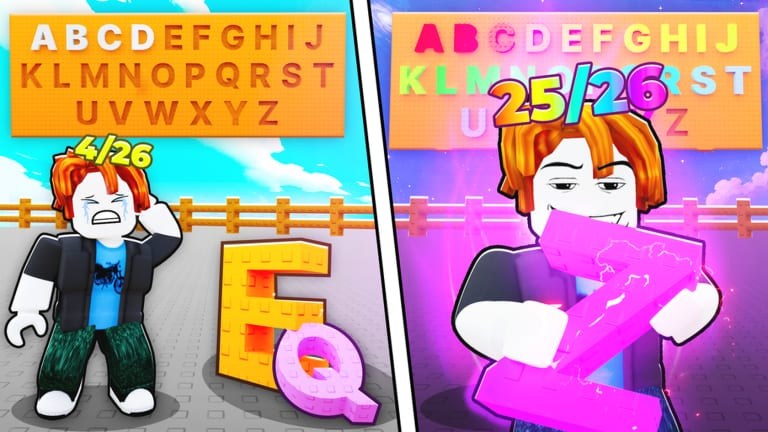
Collect The Alphabet ships on Cosmic Collection’s weekly update rhythm, which means shops, pack odds, Word of the Day presentation, and even code entry UI can shift without a long steam-style patch essay. This page teaches a repeatable way to read those updates, what usually breaks for players, and the order to re-verify wiki systems afterward. Use it with the Events Hub, Weekly Events, and announcement entry points on Official Links.
We do not invent fake version numbers here. When Cosmic Collection posts a changelog in Discord, treat that text as canonical. This page is the checklist you run after the client reloads, not a mirror of every bullet they ever shipped.
Where to find real patch notes
- Cosmic Collection Discord announcements (invite on Official Links)
- Cosmic Collection Roblox group wall and related experience posts
- In-experience notices immediately after teleport or rejoin
- Secondary confirmation on this wiki’s Codes page when a promo string is part of the drop
If a YouTube thumbnail claims a huge rework but Discord is silent, wait. Incremental games attract exaggerated update thumbnails. Prefer primary channels before rebuilding your entire upgrade plan.
August 2026 code-tracker note
Independent code blogs still disagree on 2026-08-27. GameRant and aksmworld list only 100KMEMBERS (3 Mythic Packs). Try Hard Guides printed FRIDAY again as generic freebies alongside 100KMEMBERS. Pocket Tactics and PCGamesN still print both as Mythic Packs. This wiki therefore marks 100KMEMBERS as confirmed and FRIDAY as unverified: try it in Settings, then trust the in-game result. YouTube outros that add 200KMEMBERS or NEW UPDATE after a real 100KMEMBERS redeem are not tracker-confirmed. Full hunting map: Where to Find Codes. Live table: Codes Hub. Unbox workflow after packs land: Opening Packs. Do not invent strings from other alphabet Roblox games.
What updates commonly change
- Pack economy — Prices, rarity weights, or new tiers around Mythic and Symbol packs
- Upgrades — Caps, costs, or renaming of money, luck, and pack speed purchases
- Board rules — Slot counts, placement constraints, or income formulas
- Word of the Day — Prize tables or UI location
- Codes UI — Settings button paths used to redeem strings
- Anti-abuse — Remote renames that break third-party farms overnight
Any of those can invalidate muscle memory. After a patch, manually buy one pack, place one letter, collect once, and open settings before you trust automation again.
Post-update verification order
- Join a fresh server on the correct place link from Official Links.
- Redeem codes using the steps on Codes — UI paths drift after settings redesigns.
- Check Word of the Day and reconcile keepers in Word Helper.
- Update collection progress in Alphabet Checklist.
- Skim weekly context on Weekly Events so you do not miss a same-day reward.
- Only then test scripts from Auto Farm Script on an alt per How to Use Scripts Safely.
- If farms error, disable everything and continue with the Guides Hub until remotes settle.
This order protects inventory first. Scripts last. Tools and codes in the middle. Players who reverse it sometimes auto-sell through a patch that changed default sell filters.
How updates interact with scripts
Ouroboros Hub and similar loaders depend on stable remote names and UI trees. A “small” weekly update can remove Auto Place reliability even if pack opening still works. Symptoms include silent failures, repeated errors in the executor console, or packs buying without placing. Response: turn toggles off, rejoin, re-run the documented loadstring once, and supervise a single cycle. Do not chain unverified “fixed” loaders from chat during the chaotic first hours of a patch.
Return to the Scripts Hub for disclaimers and sibling pages. Remember that a broken script after an update is expected behavior in Roblox live ops, not a personal attack on your setup.
How updates interact with SEO-sensitive wiki pages
When Cosmic Collection adds a codes button that did not exist before, Codes becomes more important overnight. When they emphasize Symbol packs, diamond sell advice in guides needs a refresh. When they change Word of the Day prizes, Word Helper messaging should stay aligned with facts in content/facts.json style truth — playable systems first, rumors never. If you maintain forks of this wiki, re-run verification after content edits; as a reader, just know that event pages and tool pages are meant to be checked together after builds.
Soft launches and silent tweaks
Not every balance change gets a trumpet. Income per letter might shift quietly. If your money per second feels wrong, compare upgrade levels and placed rarities before assuming a bug. Document your own baseline: letters placed, luck level, pack speed level, and approximate income. That personal snapshot makes Review-style judgments fairer and helps you notice real nerfs versus bad sell decisions.
Recovery after a bad patch session
- Rejoin to clear half-applied UI states
- Manually place any stuck packs
- Rebuild keeper logic in the checklist tools
- Avoid spending Robux on panic purchases until Discord clarifies intentional changes
- Use the Events Hub to see whether the patch was bundled with a weekly gift you still have not claimed
Cadence mindset
Cosmic Collection’s weekly habit means Collect The Alphabet is never “finished learning.” That is frustrating if you want a frozen simulator, and energizing if you like chasing small fresh goals. Either way, a boring five-minute verification ritual after each update saves hours of confused farming. Bookmark this Updates page, keep Official Links for announcement entry points, and bounce back to Weekly Events when the patch notes are really just a reward drop in disguise.
Stable collectors treat updates as scheduled maintenance for their plan — not as a reason to throw the plan away.
Frequently Asked Questions
Quick answers to the most common questions.
Where are official Collect The Alphabet patch notes?
Primarily Cosmic Collection Discord announcements and group posts. Start from the Official Links page.
What should I re-check first after an update?
Fresh server join, codes redemption UI, Word of the Day keepers, then tools checklists. Test scripts last on an alt.
Why did my auto farm break after a weekly update?
Patches often rename remotes or shop UI. Disable toggles, rejoin, and retest the documented loadstring once.
Do all updates include new codes?
No. Some weeks are balance or UI only. Check the Codes page and Discord instead of assuming a string exists.