
Collect The Alphabet Events & cadence
Weekly rewards, update habits, and where to verify announcements.
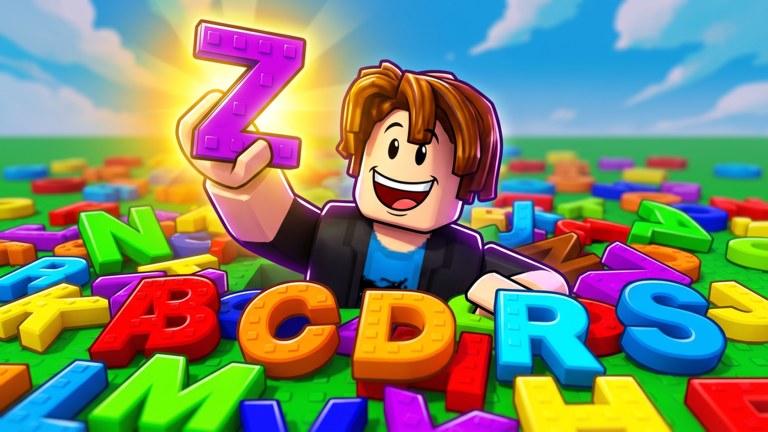
This Events Hub tracks how Cosmic Collection layers limited-time rewards and patch cycles onto Collect The Alphabet’s core loop of packs, board income, upgrades, diamonds, and Word of the Day. The experience description promises new updates and events every week, so players who only grind Common-to-Mythic packs without checking the calendar miss free progress and temporary goals.
Use the child pages for depth: Weekly Events explains the recurring reward rhythm and how to prepare your board, while Updates covers how to read patch windows, what usually changes, and how to re-verify codes, scripts, and tools afterward. For official announcement channels, keep Official Links handy — Discord invite and the Cosmic Collection group matter more than rumor screenshots.
Why events matter in an incremental letter game
Collect The Alphabet is intentionally repetitive. You open packs, place letters A–Z, sell spares for diamonds, unlock Symbol packs, and spell the daily word for a prize. Events interrupt that loop with short deadlines: bonus packs, themed rewards, milestone gifts, or UI experiments. Showing up during those windows compresses days of idle income into a focused session. Ignoring them means your luck upgrades still help, but you leave free Mythic-tier value on the table when Cosmic Collection celebrates member counts or Friday drops.
Events also change what you should keep versus sell. A weekly reward that needs Symbol progress pushes you to sell duplicates for diamonds sooner. A word-themed weekend might make you hold specific consonants. Cross-check Word Helper and Alphabet Checklist before you dump inventory, whether you play manually or with tools from the Scripts Hub.
How this hub is organized
- Weekly Events — cadence expectations, preparation checklist, and how weekly promises interact with Word of the Day and group rewards.
- Updates — patch reading habits, common breakages (shop, remotes, codes UI), and a post-update verification order.
- Cross links to Codes when milestones ship promo strings, Guides Hub for manual catch-up plans, and Review if you want the bigger picture of whether the live-ops pace feels fair.
Where announcements actually appear
Cosmic Collection communication is concentrated in a few places. The Roblox experience description is the slowest to change but confirms the weekly intent. The Cosmic Collection community group is where join rewards and some milestone posts land. Discord is usually fastest for patch notes, polls, and code drops. This wiki summarizes patterns; it is not a real-time mirror. When Discord and a random social post disagree, trust the channels listed on Official Links.
Do not rely on script Discord servers for event truth. Farm hubs care about remotes staying online; they are not your source of lore or reward schedules. After a weekly drop, redeem through the in-game UI, update your checklist in the Tools Hub, and only then decide whether automation on Auto Farm Script still aligns with the new goal.
Practical weekly rhythm for players
- At reset-minded times, skim Discord announcements and the group wall via links on Official Links.
- Redeem anything listed on Codes before spending a long farm session.
- Note whether the week emphasizes diamonds, Mythic packs, or daily word prizes.
- Adjust sell rules and upgrade priority accordingly.
- After any client patch, walk through the checklist on Updates before leaving a script running overnight.
Events versus permanent systems
Permanent systems — pack tiers, board income, upgrades, Symbol unlocks, Word of the Day — remain the backbone. Events are accelerants. If you only log in for events and never upgrade luck or pack speed, each week feels worse. If you only upgrade and never show up for weekly gifts, you progress steadily but slower than players who do both. The Guides Hub covers the permanent backbone; this Events Hub covers the calendar layer.
Fair play note
Events are where public servers get crowded and where obvious automation draws attention. If you use scripts, re-read How to Use Scripts Safely during busy drops. Prefer completing event tasks on an alt if you script at all, and never disrupt other players’ boards or chats while chasing a limited reward.
Bookmark this Events Hub, check Weekly Events when planning a session, and open Updates whenever the client reloads with a new build. That simple split keeps Collect The Alphabet’s live-ops noise organized instead of scattered across unread Discord pings.
Frequently Asked Questions
Quick answers to the most common questions.
Does Collect The Alphabet really get weekly events?
Cosmic Collection advertises new updates and events every week. Exact rewards change — verify on Discord and the group via Official Links.
Where should I look first when something limited drops?
Start with Weekly Events for prep, Codes for promo strings, then Tools pages so you do not sell letters you still need.
What is the difference between Weekly Events and Updates?
Weekly Events focus on recurring reward cadence; Updates focus on patch breakages and how to re-verify the wiki after a build.
Do events change Word of the Day?
Not always, but themed weeks can make certain letters more valuable. Use Word Helper before auto-selling duplicates.